
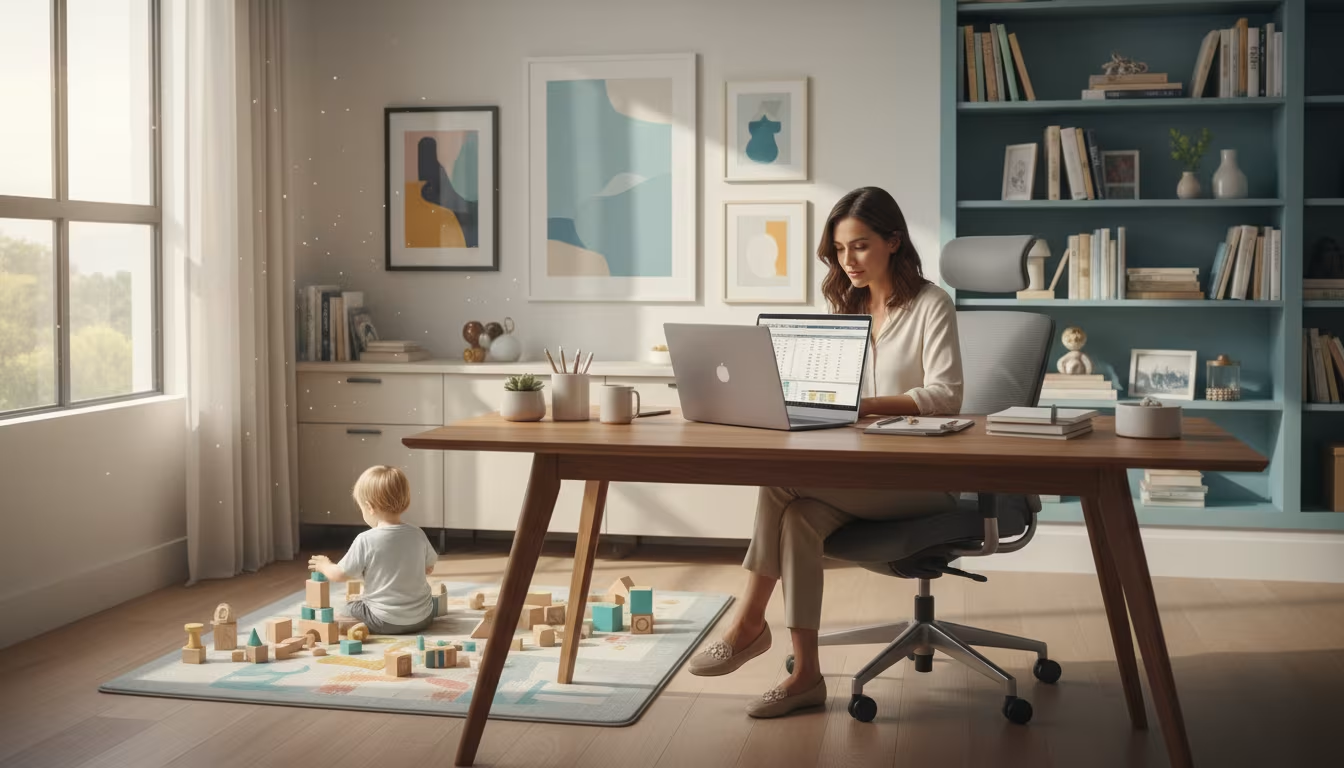
Eight uninterrupted hours at a desk is a fantasy in a house with children in it. The workday you can actually get is broken into fragments, interrupted by snack requests and squabbles, and shaped by nap times you do not fully control. Productivity under those conditions comes from designing around the interruptions instead of pretending they will not happen.
The goal is not to replicate an office at home. It is to protect a few genuinely productive windows, keep your body from paying the price, and be honest with the people who depend on your output.
Plan in blocks, not perfect days
Instead of one long stretch of work, carve the day into named blocks: deep work, calls, admin, and kid check-ins. Slot the demanding, focus-heavy tasks into your most reliable quiet windows, usually early morning, nap time, or after a partner takes over, and push shallow tasks like email into the fragmented stretches when a small hand is likely to appear. When a block gets interrupted, you lose that block, not the whole day.
Match the block to what the child can realistically handle alone, which changes fast with age. Planning against that reality prevents the daily disappointment of expecting a toddler to grant you two silent hours.
| Child age | Realistic independent stretch | What actually helps |
|---|---|---|
| Under 2 | Minutes; needs near-constant supervision | Work during naps and shared care; do not promise deep work |
| 2 to 4 | 15-30 minutes with an engaging activity | Rotating activity baskets, a snack bin, a visible quiet signal |
| 5 to 8 | 30-60 minutes with a clear task | Picture schedule, planned screen time, "interrupt only if" rules |
| 9 and up | Longer, with check-ins | Shared calendar, agreed do-not-disturb blocks, small responsibilities |
Set up your body for the hours you do get
A laptop balanced on the kitchen table is a recipe for neck and wrist pain, and the fewer good work hours you have, the more each one has to count. OSHA's computer workstation eTool walks through the principles that reduce awkward posture: screen roughly at eye level, forearms supported, feet flat, a chair that fits. You do not need an expensive setup, just a few adjustments so the makeshift desk stops working against you.
If your workspace is temporary or shared, arranging it for function before looks pays off. Livecub's ideas for setting up a work area apply just as well to a corner of a bedroom as a cubicle: put the tools you reach for within reach, and keep the space easy to reset between work and family use.
Use visible routines and clear screen rules
Children ask fewer repeated questions when the answers are on the wall. A picture schedule, a self-serve snack bin, a rotating activity basket, and one unmistakable quiet signal, a closed door, a specific hat, a light, do more to protect focus than repeated pleading. Keep expectations honest, though: younger children still need real supervision, and no chart replaces it.
Screens are part of most work-from-home days, and pretending otherwise just turns them into a daily argument. Decide their role before the crisis hour rather than during it. The American Academy of Pediatrics' family media plan guidance recommends building media rules that fit your family's routines, so screen time becomes planned support during a specific block rather than an open-ended default.
Tell coworkers the useful truth
You do not owe your team a running commentary on every interruption, but they do need to know when you are unavailable, when you are reachable, and when a deadline is shifting. A short, specific heads-up prevents the quiet erosion of trust that happens when work simply arrives late with no context.
Keep updates brief and concrete: what is done, what is moving, what changed. The communication habits Livecub describes in its customer service training article, staying clear and calm rather than over-explaining, keep these messages short and credible. And if constant exhaustion is dragging on your focus, the small habits in Livecub's guide to staying alert at work can help at the margins, though real childcare gaps still need real solutions.
Protect the transition points
When work and family share one space, the hardest moments are often the seams, moving from a tense call back into parenting, or from breakfast chaos into focused work. Occupational health guidance on remote work consistently notes that these physical and mental transitions matter for wellbeing, not just productivity.
Build small rituals into the seams: a start-of-work cue, a shutdown note listing tomorrow's first task, a two-minute reset after a hard call before you rejoin the household. Children pick up on the shift in the room even when the desk stays put, and a deliberate transition helps everyone, including you, land in the right mode. When a child genuinely needs direct supervision or work simply cannot be met honestly under the day's childcare, treat that as a signal to pause and rearrange rather than push through, because pretending otherwise is what turns a hard day into a burned-out month.
Review the setup roughly once a week rather than judging it on the worst single afternoon. Notice which blocks reliably held, which interruptions kept recurring at the same time, and which one small change, an earlier start, a different snack window, a swapped meeting, would remove the most friction. A work-from-home rhythm with young kids is never finished; it is adjusted, and the parents who cope best expect to keep tuning it rather than to solve it once.
Frequently Asked Questions
How do I get deep work done with kids home?
Reserve short blocks during your most predictable quiet windows, protect them from low-value tasks, and accept that some days will not allow deep work at all.
Should I tell my manager?
Share what affects your availability or deadlines, keep the update practical, and do not hide patterns that will eventually show up in your work anyway.
Are screens okay?
Screens can be part of a plan, but clear, age-appropriate rules and breaks reduce conflict more than an open-ended free-for-all.
How do I reduce body strain?
Improve your chair, screen height, keyboard position, and lighting, and take regular movement breaks. OSHA's workstation guidance is a good reference.

Tory Stearns
Edits practical household, travel and lifestyle explainers. Claims that can change are linked to current primary or subject-authority sources.



Leave a reply
Replying to