
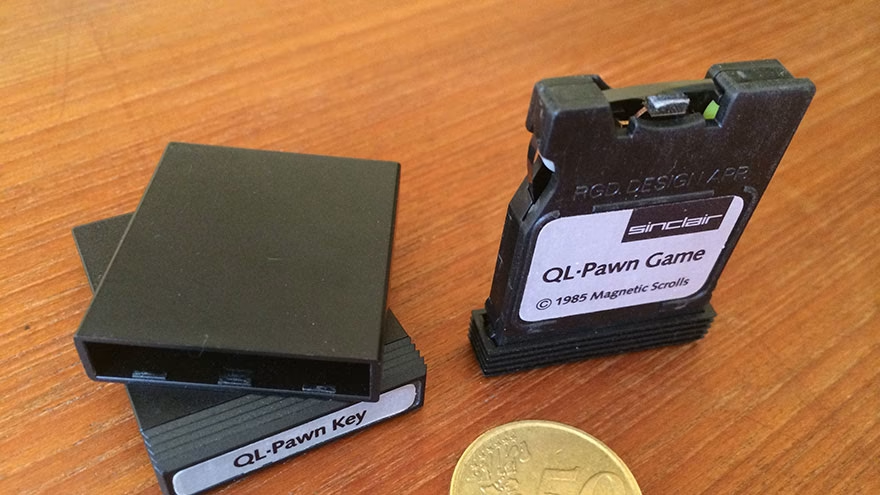
A microdrive is a tiny hard drive, not a flash card
Microdrives were small mechanical hard drives used in CompactFlash Type II slots and some older cameras, music players, and handheld devices. They have platters and moving parts, which makes failure different from a solid-state CF card.
If you are comparing failure types, physical HDD failure recovery is the closest internal topic because a microdrive can fail mechanically.
Common signs of failure
A failing microdrive may click, spin oddly, disappear from the camera, ask to be formatted, copy files slowly, show corrupted photos, freeze the device, or fail only after warming up. Do not keep forcing it to mount.
Backblaze explains drive replacement around read problems and failure evidence in its SMART stats discussion. A microdrive is older and smaller, but read trouble is still a warning.
Stop writing to it immediately
If the data matters, stop taking pictures, saving files, formatting, or running repair utilities that write changes. Every write can reduce recovery options, especially if the file system is damaged but the media still partly reads.
For digital troubleshooting habits, decoding an email failure offers the same broad lesson: read the error before taking random action.
Do not treat clicking as a software problem
Clicking, grinding, repeated spin-up, or device resets can point to mechanical trouble. Software tools cannot fix a head crash, stuck spindle, or internal damage. Repeated attempts may make recovery harder.
Commercial recovery guidance such as Gillware's page on hard drive failure also warns that clicking can mean serious hardware trouble.
Try only low-risk checks first
Check the reader, cable, adapter, and device with a known-good card. If the microdrive is recognized, copy the most valuable files first. Do not run a long scan before saving the files you can already reach.
If the issue resembles a connection problem, compare it with wireless association failure only as a reminder to isolate the component before blaming the whole system.
Clone before experimenting
If you have the skill and the drive reads at all, make a sector-level clone to another device before trying file repair. Work on the clone, not the original. If the drive is unstable, a professional lab may be the safer route.
Old storage can fail faster under stress. Heat, repeated power cycles, and long scans can push a marginal device over the edge.
Plan disposal after recovery decisions
If the data is sensitive and the drive will be discarded, NIST's media sanitization guidelines are a serious reference for organizations handling storage media.
For related hardware thinking, FDC failure shows how old storage terms can hide very different causes. Name the device before choosing the fix.
Start with the part that can be checked
The strongest version of this advice begins with something visible, recorded, or easy to confirm. For this topic, that means checking: symptoms, backup, reader, cable, write protection, copy priority, clone option, recovery value, sensitive data disposal The rest of the decision becomes steadier when the first facts are not guessed.
Do the check before the emotional part takes over. Excitement, fear, embarrassment, pressure, or fatigue can all make a weak plan feel more certain than it is.
Adjust the advice to the real setting
Context changes the answer. The response should fit data value, mechanical symptoms, reader condition, backup status, and the user's comfort with imaging tools. A choice that works for one person, couple, team, traveler, device, or dog owner may be wrong for another because the constraints are different.
Good advice should leave room for those constraints. If the setting changes, update the plan instead of defending the first version out of habit.
Avoid the mistake that keeps repeating
The mistake to watch is running repeated repairs or formatting prompts on the original microdrive before copying or cloning recoverable data. It sounds simple, but it usually appears when people want certainty faster than the situation can honestly provide.
Slow thinking is not the same as overthinking. It is the short pause that lets you separate a useful signal from a guess, a sales pitch, a mood, or someone else's pressure.
Write down the decision point
A short note can save a lot of later confusion. Write the source, date, name, price, rule, symptom, message, or agreement while it is still fresh. Do not rely on memory when the subject involves money, work, travel, health, or trust.
The note does not have to be formal. It only has to be clear enough that you can return to it later and understand why you made the choice you made.
Know when to get another view
Pause when the drive clicks, spins oddly, disappears repeatedly, contains valuable data, or asks to be formatted. That is the point where a second view can prevent a small problem from becoming a larger one.
The second view might come from a manager, clinician, land manager, travel source, counselor, breeder, repair specialist, or the person directly affected. The right helper depends on the risk.
Finish with one clean action
Do not leave the advice floating. Send the message, save the receipt, check the advisory, label the backup, book the appointment, ask the question, or remove the risky option from the list.
One clean action turns reading into progress. It also makes the next step easier because the situation is no longer sitting in a vague pile of things to think about. That is where practical judgment shows.
Check the human side of the choice
Most topics here involve another person, even when the first task looks technical or practical. A coworker, partner, parent, traveler, client, buyer, pet, or future version of you may have to live with the result.
Ask who carries the cost if the choice is wrong. That question usually makes the next move clearer, because it turns a general idea into a responsibility.
Use the smallest honest test
Before making a large move, look for a smaller test that still tells the truth. Make one call, compare one document, copy one file, try one conversation, check one official page, or ask one direct question.
A small test is not a delay tactic when it answers the right question. It is a way to reduce drama and learn from the situation before money, trust, time, or safety is on the line.
Plan for normal friction
Even a good plan meets friction. People answer late, weather changes, feelings flare, paperwork takes longer, devices behave badly, and pets or family members do not follow the schedule in your head.
Build in margin for that friction. A plan with no room for ordinary delay can make a manageable problem feel like a personal failure.
Respect the limit you already noticed
If one detail keeps making you uneasy, do not talk yourself out of noticing it. The detail may be small, but it may also be the first useful warning that the plan needs a cleaner boundary or a better source.
This does not mean every worry is accurate. It means the worry deserves a simple check before you keep moving. If the check clears it, you can continue with less noise in your head.
Review what happened afterward
After the first action, review the result while it is still fresh. What worked? What created friction? What would you repeat? What would you never do that way again?
That short review turns one experience into better judgment for next time. It is especially useful for repeated situations such as work reviews, travel planning, relationship talks, data backups, and buying from breeders.
Keep the next person in the loop
If someone else is affected, tell them what changed, what you checked, and what you plan to do next. A brief update can prevent duplicate work, hurt feelings, missed deadlines, or decisions based on old information.
This matters even when the subject feels personal. Clear updates help families, partners, coworkers, travelers, clients, and service providers respond to the same facts instead of guessing what you meant. It also reduces the chance that a small misunderstanding becomes the next problem.
Frequently Asked Questions
Can a failed microdrive be repaired?
Sometimes data can be recovered, but physical repair is specialized. The drive itself is usually not worth trusting afterward.
Recover the data and replace the storage.
Should I format it if the camera asks?
No, not if the files matter. Formatting can make recovery harder.
Copy or clone first if possible.
Is a microdrive the same as a CF card?
It may use a CompactFlash Type II interface, but it is a tiny hard drive with moving parts.
That makes drops and mechanical failure more serious.
When should I use a recovery lab?
Use a lab when the data is valuable, the drive clicks, or the media will not read steadily.
DIY attempts can reduce recovery chances.

Alyssa Curlin
Edits general health, nutrition and education explainers. Medical topics are educational and link to public-health guidance.



Leave a reply
Replying to